
Download Archistar – AI‑Powered Property Development Software for Fast Site Assessment & Feasibility
Intro & Overview
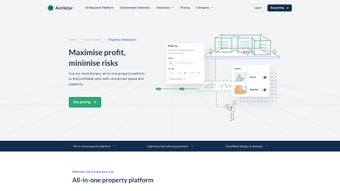
Archistar is a cloud‑native, subscription‑based platform that brings artificial‑intelligence‑driven analysis to every stage of the property development lifecycle. Whether you are a large‑scale developer, a planning consultant, or a boutique real‑estate investor, Archistar consolidates high‑resolution aerial imagery, local zoning maps, environmental overlays, market trends, and regulatory data into a single, intuitive dashboard. The AI engine continuously learns from new data feeds, meaning that the insights you receive are always current, from median price fluctuations to upcoming council amendments.
By automating site assessment, generating compliant design concepts, and delivering instant feasibility reports, Archistar reduces the time spent on manual research from weeks to minutes. The platform also offers a secure collaboration hub where team members, investors, and external advisors can view and comment on projects in real time, ensuring that decision‑making is transparent and data‑driven. Because the service runs entirely in the browser, there is no need for heavy‑duty local installations, and updates are pushed automatically, keeping the software aligned with the latest planning regulations across Australian cities and a growing number of international markets.
In short, Archistar transforms the traditionally fragmented pre‑development workflow into a fast, reliable, and scalable experience that lets you focus on strategy rather than data collection.
For professionals seeking to minimise risk, maximise profit, and accelerate time‑to‑market, Archistar offers a modern, secure, and highly configurable solution. Its subscription model includes tiered pricing, allowing you to select only the features you need, while its robust API integrations enable seamless data exchange with existing GIS, CAD, and financial modelling tools. The platform’s emphasis on security—end‑to‑end encryption, role‑based access controls, and regular third‑party audits—means that sensitive project data stays protected throughout the development pipeline.
Key Features & Capabilities
- Fast Site Assessment – AI evaluates parcels in seconds, overlaying zoning, flood, heritage, and climate‑risk data.
- Automated Design Generator – Produces multiple compliant building footprints that respect height, setback, and floor‑area‑ratio limits.
- High‑Resolution Aerial & Satellite Imagery – Remote site surveys without field visits, with optional 3‑D terrain models.
- Market Intelligence Dashboard – Real‑time median price trends, comparable sales, and upcoming developments visualised on interactive charts.
- Risk Management Toolkit – Highlights environmental constraints, planning objections, and construction‑cost volatility.
- Feasibility & Due Diligence Reports – One‑click PDFs that compile data, assumptions, and financial projections for investors or councils.
- Regulatory Rule Engine – Continuously updated local planning codes, environmental statutes, and council‑specific amendments.
- Collaboration Hub – Securely share projects with team members, investors, and external consultants, with comment threads and version control.
- API & Export Options – Export data in DXF, Shapefile, GeoJSON, or CSV, and integrate with AutoCAD, Revit, QGIS, and Excel.
- Customisable Report Templates – Tailor feasibility reports to match branding or specific stakeholder requirements.
Each feature is powered by a deep‑learning model that parses thousands of data points in milliseconds. For instance, the Fast Site Assessment tool not only identifies current zoning but also forecasts how upcoming council amendments could alter development potential, giving users a forward‑looking advantage. The Automated Design Generator leverages generative‑design algorithms to propose multiple layout options that satisfy all constraints, dramatically reducing the need for iterative CAD drafts.
Meanwhile, the Market Intelligence Dashboard pulls data from trusted sources such as CoreLogic, the Australian Bureau of Statistics, and local MLS feeds, presenting it through filterable, drill‑down charts that can be sliced by suburb, property type, or time period. The Risk Management Toolkit integrates climate‑change projections and heritage overlays, ensuring developers are aware of hidden liabilities before committing capital. All reports are exportable as high‑resolution PDFs, ready for presentation to investors, lenders, or council committees.
By unifying these capabilities, Archistar eliminates the need for a suite of disjointed tools, streamlining workflows and cutting third‑party data licence costs.
Installation, Usage & Compatibility
Archistar is a pure web application, which means there is no traditional “install” process on the user’s device. To begin, visit the official Archistar website, create a secure account, and choose a subscription tier that aligns with your project volume. After email verification, you are directed to the cloud‑based dashboard where an onboarding wizard guides you through initial configuration.
- Project Setup: Enter the address or parcel ID of the site you wish to evaluate. Archistar automatically retrieves cadastral data and generates a base map.
- Data Preferences: Select the data layers you want to include—flood zones, heritage overlays, climate‑risk models, and more.
- Team Access: Invite collaborators by email and assign roles such as Viewer, Analyst, or Administrator. Single‑sign‑on (SSO) integration with Azure AD, Okta, and Google Workspace is supported for enterprise security.
- Report Templates: Choose a pre‑built feasibility report template or customise your own layout with branding elements.
Once setup is complete, the UI presents three main panels: a map view, a data panel, and a results panel. Drag‑and‑drop controls let you toggle layers, launch the AI‑driven design generator, or run a market trend analysis with a single click. All heavy calculations occur on Archistar’s secure servers, so even large‑scale data processing does not tax your local machine.
Supported Operating Systems: Because Archistar runs in modern browsers, it works on Windows 10/11, macOS Ventura and later, Linux distributions with up‑to‑date Chrome, Edge, Firefox, or Safari, as well as iOS 14+ and Android 9+ tablets. The responsive design automatically adapts to different screen sizes, delivering a full‑featured experience on desktops, laptops, and mobile devices.
Updates are delivered continuously; there is no need for manual patches. When new planning regulations are released or additional data sources are integrated, Archistar pushes the changes instantly to every user’s workspace, guaranteeing that you always work with the most current information. The platform also offers a 14‑day free trial with full access to core features, allowing you to evaluate the tool before committing to a subscription.
Pros, Cons, Frequently Asked Questions & Final Thoughts
Pros
- All‑in‑one platform eliminates the need for multiple software licences.
- AI‑driven site assessment reduces research time by up to 80 %.
- Real‑time regulatory updates keep projects compliant.
- High‑resolution aerial imagery enables remote surveying.
- Collaboration hub streamlines team communication and version control.
- Export options for GIS, CAD, and financial tools simplify downstream workflows.
- Scalable subscription model fits both small firms and large enterprises.
Cons
- Subscription cost may be high for very small boutique firms.
- Requires a stable internet connection for optimal performance.
- Learning curve for users unfamiliar with AI‑generated design concepts.
- Advanced features (e.g., custom risk models) are only available on higher‑tier plans.
Frequently Asked Questions
Is Archistar suitable for small residential developers?
Yes. Archistar’s modular pricing allows small developers to access core functionalities such as site assessment and feasibility reporting without paying for enterprise‑only add‑ons, making it a cost‑effective choice for boutique projects.
Can I export data to other GIS or CAD applications?
Archistar supports export in DXF, Shapefile, GeoJSON, and CSV formats, allowing seamless import into AutoCAD, Revit, QGIS, or Excel for further analysis and detailed design work.
How frequently is the regulatory database updated?
The regulatory rule engine is refreshed weekly, with critical council amendments pushed in real time, ensuring that users always work with the latest planning constraints.
Is there a free trial available?
Archistar offers a 14‑day free trial that provides full access to all core features, allowing prospective users to evaluate the platform before committing to a subscription.
What level of customer support does Archistar provide?
Subscribers receive 24/7 email support, live chat during business hours, and a dedicated account manager for enterprise plans. An extensive knowledge base, video tutorials, and community forums are also available.
Conclusion & Call to Action
Archistar stands out as a comprehensive, AI‑enhanced solution that consolidates the fragmented workflow of property development into a single, secure environment. Its ability to instantly assess sites, generate compliant designs, and produce data‑rich feasibility reports translates into faster decision‑making and reduced risk exposure. While the subscription price reflects the depth of its capabilities, the time and cost savings realised across the project lifecycle often outweigh the upfront expense. For developers, planners, and investors who demand accurate, up‑to‑date insights and a collaborative platform that scales with their portfolio, Archistar is a strategic investment.
Ready to accelerate your next development? Start your free 14‑day trial today and experience how AI can turn complex planning data into actionable profit opportunities.



.png)



